Start
Start a focus session from the same place you plan work
A timer is more useful when it is connected to your tasks. Prioflo keeps your focus tools close to the priorities you already chose for the day.

Prioflo combines a focus timer with task planning, priority sorting, Focus Mode, Focus Radio, Focal Ambience, and progress tracking so focused work stays connected to what you planned for the day.
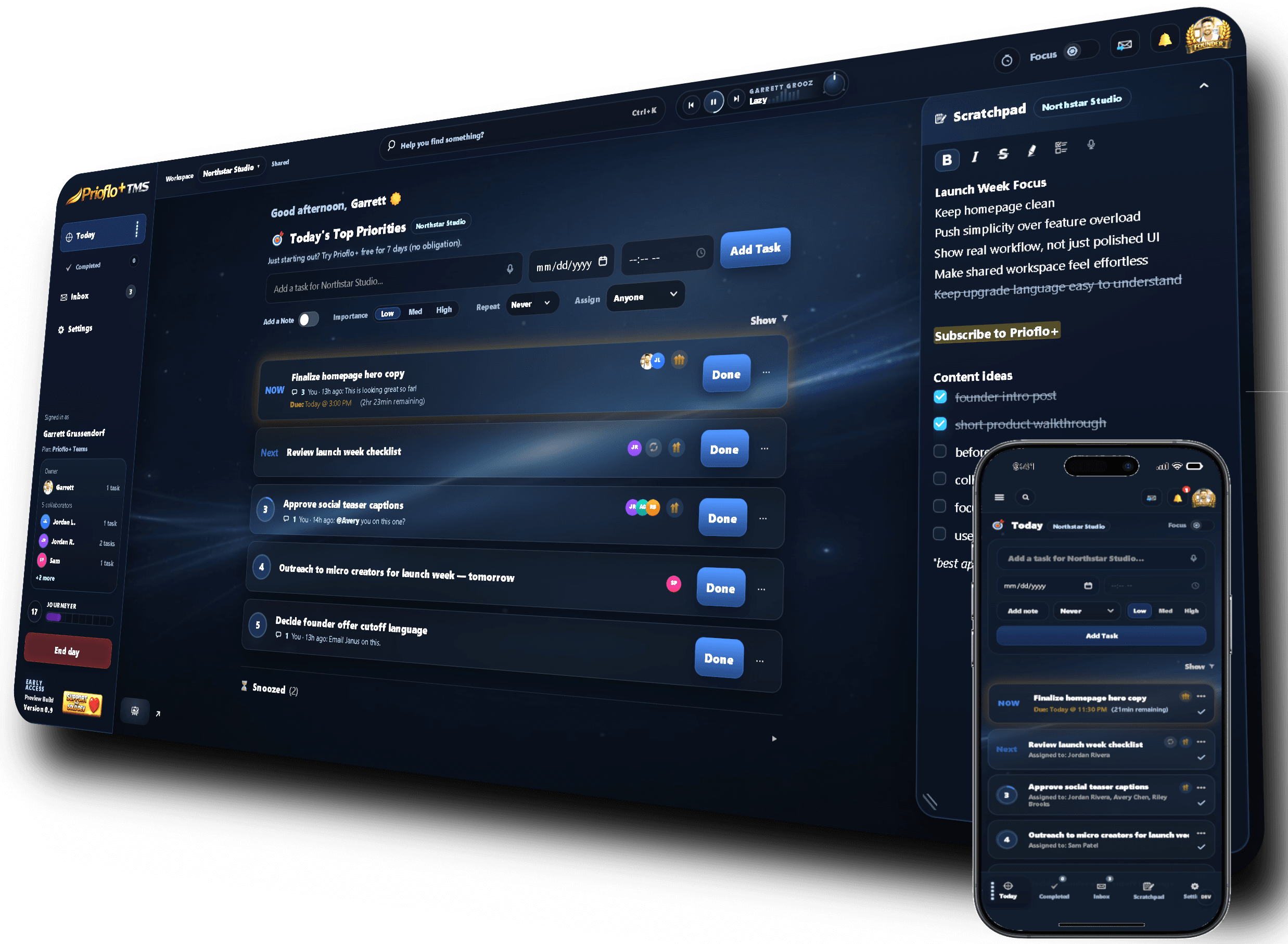
A timer is more useful when it is connected to your tasks. Prioflo keeps your focus tools close to the priorities you already chose for the day.
Focus Mode reduces visual noise, while Focus Radio and Focal Ambience help create a work environment that feels easier to stay inside.
Focused time connects back to daily tracking and reporting, so your focus sessions become part of the picture of what you accomplished.
Use Pomodoro-style sessions or custom focus sessions for deep work, planning, admin work, or short task sprints.
Dim distractions and center attention on the task you are trying to finish now.
Play focus-driven music without leaving the app or breaking your workflow.
Add ambient sound to make your workspace feel more stable and easier to stay in.
Track focus sessions as part of your daily and weekly productivity picture.
Use the timer with Today priorities so focused work stays tied to what actually matters.
Prioflo includes a focus timer that can support Pomodoro-style work sessions and custom focus sessions depending on how you like to work.
A standalone timer only tracks time. Prioflo connects focus sessions to daily planning, task prioritization, and progress tracking so the timer supports the rest of your workflow.
Prioflo is built around focus tools like Focus Timer, Focus Mode, Focus Radio, and Focal Ambience, so focused work can be tracked as part of your productivity flow.
Yes. Focus Radio is part of Prioflo’s focus toolset and can support deep work even when you are not running a timer session.
Daily planning, priority sorting, and focus tools work best together.